+91 8401451216





 November 26, 2026
 6 Min Read
Running an offshore development team across time zones only works when everyone is on the same page, literally. The right offshore software development tools make the difference between a team that ships on time and one that loses days to miscommunication and broken handoffs.
According to the US Bureau of Labor Statistics, software developer roles are projected to grow much faster than average through 2034. With local hiring unable to match that demand, more US companies are building distributed teams through an offshore development center or a dedicated remote team. But hiring the developers is only half the job. You also need tools that keep async workflows smooth and transparent.
Here’s a curated offshore software development tools list covering project management, communication, code collaboration, CI/CD, and testing.
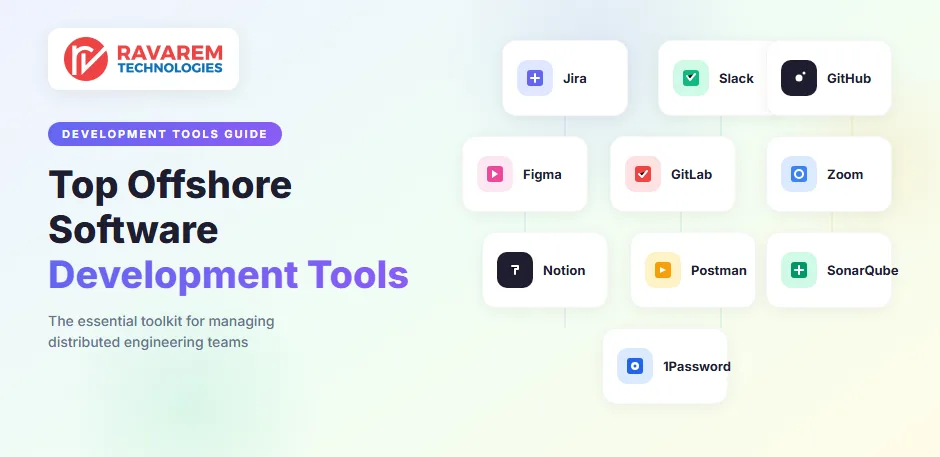
10 Best Offshore Software Development Tools
1. Jira
Category: Project Management
Jira is the go-to tool for agile teams. It handles sprint planning, backlog grooming, bug tracking, and release management in one place.
Why offshore teams use it: Customizable workflows let you mirror your exact process. Offshore and onshore teams see the same board, so nothing slips through the cracks.
Pros: Deep agile support · Powerful reporting and dashboards · Integrates with almost every dev tool
Cons: Steep learning curve for new users · Can feel over-engineered for small teams
Pricing: Free for up to 10 users. Paid plans start at $7.75/user/month.
2. Slack
Category: Team Communication
Slack is the real-time communication hub for distributed teams. Channels, threads, file sharing, and integrations keep conversations organized.
Why offshore teams use it: Async threads work well across time zones. Your offshore team can catch up on context without scrolling through email chains.
Pros: Fast, organized messaging · Huge integration library · Searchable message history
Cons: Can become noisy without clear channel discipline · Free plan limits message history
Pricing: Free tier available. Pro starts at $7.25/user/month.
3. GitHub
Category: Code Collaboration & Version Control
GitHub hosts your code, tracks changes, and runs code reviews through pull requests. It’s the most widely used platform for collaborative development.
Why offshore teams use it: Pull requests and code reviews create an audit trail. When your team is 10 hours ahead, you review their work in the morning and leave feedback they pick up the next day.
Pros: Industry standard · Excellent PR and code-review workflow · GitHub Actions for CI/CD
Cons: Private repos on free plans have limited features · Advanced security features cost extra
Pricing: Free for public and basic private repos. Team plan starts at $4/user/month.
4. Figma
Category: UI/UX Design & Collaboration
Figma is a browser-based design tool where designers and developers work on the same file in real time.
Why offshore teams use it: No file-syncing headaches. Your US designer and offshore front-end developer both see the latest design and can leave comments directly on the canvas.
Pros: Real-time multiplayer editing · Developer handoff with inspect mode · Works in the browser
Cons: Offline support is limited · Complex prototypes can slow down in the browser
Pricing: Free for up to 3 projects. Professional starts at $15/editor/month.
5. GitLab
Category: DevOps Platform
GitLab bundles version control, CI/CD pipelines, security scanning, and project management into a single platform.
Why offshore teams use it: One tool for the entire DevOps lifecycle. Fewer context switches mean fewer things get lost between teams.
Pros: All-in-one DevOps · Built-in CI/CD · Self-hosted option for sensitive projects
Cons: UI can feel cluttered · Heavier resource usage for self-hosted instances
Pricing: Free tier available. Premium starts at $29/user/month.
URL:
6. Zoom
Category: Video Conferencing
Zoom remains the standard for video meetings. Daily standups, sprint demos and planning sessions all run on it.
Why offshore teams use it: Reliable video quality even on weaker connections. Recording lets absent team members catch up later, which is essential when working hours don’t fully overlap.
Pros: Stable video and audio · Meeting recordings and transcripts · Breakout rooms for larger teams
Cons: Free plan limits group meetings to 40 minutes · Occasional security concerns
Pricing: Free tier available. Pro starts at $13.33/month.
7. Notion
Category: Documentation & Knowledge Base
Notion combines wikis, docs, databases, and project boards in one tool.
Why offshore teams use it: A single source of truth for onboarding docs, technical specs, meeting notes, and decision logs. When a new offshore developer joins, they can ramp up without chasing people for context.
Pros: Flexible and easy to organize · Great for async documentation · Templates for common workflows
Cons: Can get messy without structure · Limited offline mode
Pricing: Free for personal use. Plus starts at $10/seat/month.
8. Postman
Category: API Development & Testing
Postman lets teams design, test, and document APIs collaboratively.
Why offshore teams use it: Shared collections and environments mean your offshore QA team tests against the same API specs your US team defined. That eliminates “works on my machine” problems.
Pros: Easy API testing · Shared workspaces · Automated test runs
Cons: Heavy on system resources · Advanced features require paid plans
Pricing: Free for small teams. Basic starts at $14/user/month.
9. SonarQube
Category: Code Quality & Security
SonarQube scans your code for bugs, vulnerabilities and code smells automatically.
Why offshore teams use it: Automated quality gates ensure every pull request meets your standards, regardless of which team member wrote it. It removes subjectivity from code reviews.
Pros: Catches bugs and security issues early · Supports 30+ languages · Integrates with CI/CD
Cons: Setup takes effort · Community edition has limited language support
Pricing: Free Community Edition. Developer plan starts at $150/year.
10. 1Password
Category: Security & Access Management
A team password manager stores and shares credentials, API keys, and secure notes without sending them over chat.
Why offshore teams use it: When you share staging credentials, cloud keys, and third-party API tokens with a remote team, a password manager is the only secure way to do it.
Pros: Encrypted credential sharing · Access controls per team or vault · Audit logs
Cons: One more subscription to manage · Team onboarding takes a few minutes
Pricing: Teams plan starts at $7.99/user/month.
How to pick the right stack: You don’t need all ten on day one. Start with the essentials: a project tracker (Jira), a communication tool (Slack), a code platform (GitHub or GitLab), and a video tool (Zoom). Add the rest as your team grows. If you’re evaluating partners, the tools they already use tell you a lot about their process maturity. This guide on how to find offshore developers covers what else to check, and this offshore developer hiring checklist walks through the full vetting process.
Conclusion
The best offshore software development tools don’t just keep your team connected. They build the trust and transparency that make offshore collaboration actually work. Project management tools give everyone visibility. Communication tools close the time zone gap. Code platforms create accountability. And security tools protect what you’re building.
Choose tools that match your team size, your workflow, and your budget. The right stack turns a distributed team into one that feels like it’s sitting in the same room, even when it’s on the other side of the world.